MarkInside
You don’t need a fancy note editor to create, edit and preview
LaTeX Math, Mermaid, Markdown, Mind Map, and any HTML


Images Are the Source Files
Section titled “Images Are the Source Files”No *.markinside file is created when you export an image from code — the image itself is the single source of truth. To edit an image’s content, simply✱ open it in MarkInside.
✱ Some apps or services may compress PNG files and remove any embedded source code. If that happens, try exporting as SVG or PDF instead.
Live Preview
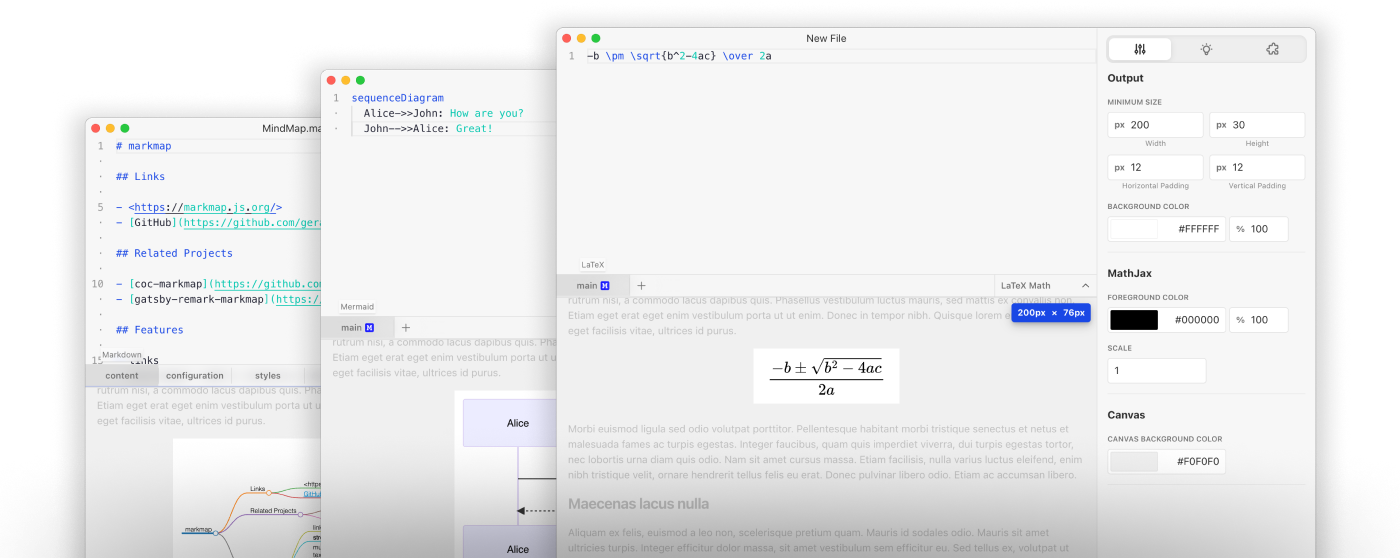
Section titled “Live Preview”MarkInside provides a side-by-side editor with a live preview so changes to your code or settings are reflected immediately.
You can resize the preview area and change the canvas background color to better match the environment where you’ll use the image.
Use Everywhere
Section titled “Use Everywhere”The files MarkInside generates are standard PNG, SVG, and PDF images. That means you can use them anywhere — no special renderer (for example, Mermaid) is required to view them.
Power Up with Blocks & Templates
Section titled “Power Up with Blocks & Templates”The block-based editor makes complex content easier to read and maintain. By organizing content into code blocks you can build reusable templates that extend what MarkInside can do.
See the templates we created to learn more.
Cooperate with Agents
Section titled “Cooperate with Agents”MarkInside provides MCP Server support, allowing agents to assist you in coding your images.